

Bring business calling into Microsoft Teams for calls, meetings, chat and collaboration in one familiar place, with setup, migration and support handled by dbfb.
Book a Teams Phone reviewExplore cloud telephonyBusiness calling in Teams | Work from any device | Microsoft 365 alignment
why teams phone
When Microsoft Teams is already widely used across your organisation, Teams Phone gives you a practical way to bring business calling into the same platform. It reduces reliance on separate communication systems and gives users a more consistent experience for calls, meetings, chat and collaboration

Keep your business number available across supported devices, helping people stay reachable wherever they work.

Give people business calling within the same Microsoft Teams platform they already use throughout the working day.

Manage users, numbers, permissions and calling policies centrally as people and requirements change.
Add users, change call routing and update requirements more easily as your organisation continues to develop.
HOW DBFB HELPS
Teams Phone is more than adding a Microsoft licence. The right calling model needs choosing, existing numbers need moving and the service needs configuring around your users and how calls should be handled.
We manage the practical work behind the move, from planning and number porting through to configuration, deployment and ongoing support.
We look at your Microsoft environment, current phone system and how different users and teams need to make and receive calls.
Operator Connect or Direct Routing depends on your call flows, existing services, integration needs and the level of flexibility you need.
Number porting, user setup, call routing, devices and application access are carefully coordinated to keep deployment on track.
Calling policies, service performance and future changes can be reviewed as your organisation develops.
CONNECTED APPROACH
Reliable Teams calling depends on the technology around it. From connectivity and Wi-Fi to Microsoft 365, meeting rooms and customer communications, each part can influence how well the overall service works.
Because dbfb supports these services too, we can look at your wider technology setup rather than treating Teams Phone as a standalone product.
Link Teams calling with business broadband, leased lines and business Wi-Fi to support reliable call quality across your organisation.
Combine Teams with cloud telephony where users, sites or call requirements need functionality beyond Microsoft Teams alone.
Add cloud contact centre capabilities including advanced routing, queues, reporting and supervisor tools for customer-facing teams.
Bring in meeting room solutions, Teams-certified phones and headsets to create a more consistent Microsoft Teams experience.
Support Teams Phone alongside Microsoft 365, managed IT and cyber security, helping keep users, identities and devices properly managed.
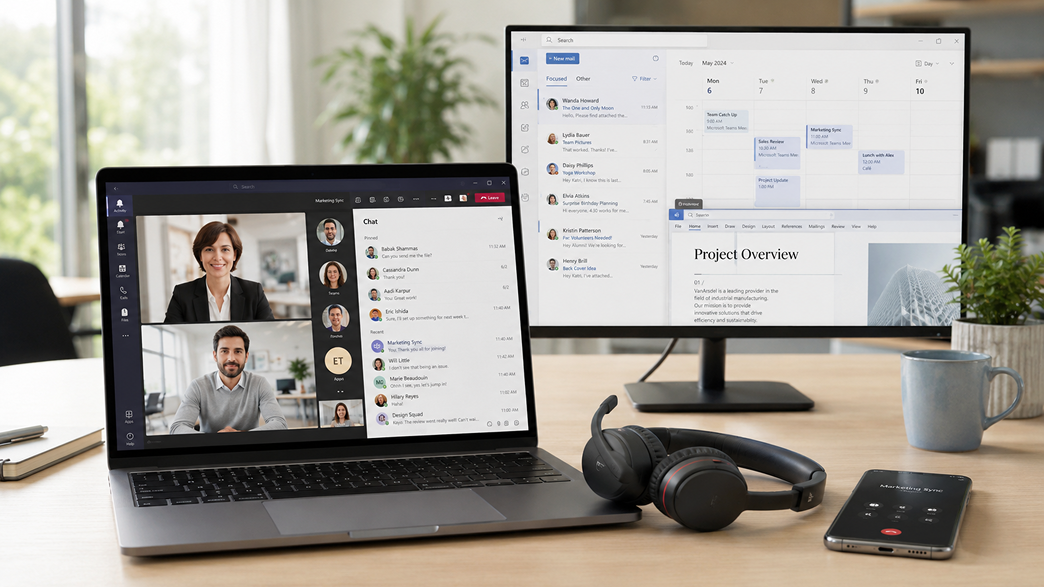
seamless integration
Teams Phone can sit alongside the wider Microsoft environment and other business applications your people rely on every day.
Bringing these systems together can give users better context around conversations, reduce unnecessary switching between platforms and help communication fit more naturally into existing ways of working.
ONE ACCOUNTABLE TEAM
A successful Teams Phone setup depends on more than the Microsoft platform itself. Calling needs to be configured around your users, numbers, call flows and wider technology, with a clear plan for the move and someone accountable once the service is live.
dbfb brings the Microsoft and telephony sides together, giving you one team to help shape the setup, manage the transition and support what comes next.
01
Your users, numbers, sites and calling requirements are reviewed before we recommend the right Teams Phone setup for your organisation.
02
We coordinate number porting, configuration and deployment, helping keep the move clear and controlled from planning through to go-live.
03
Teams calling and the services around it can sit with one team, reducing the need to manage different suppliers when support is needed.
04
Regular reviews throughout the life of your contract help keep users, licences, call quality and future requirements aligned as your organisation and Microsoft setup evolve.
FAQS
READY TO REVIEW?
Plan Teams Phone around users, numbers, devices, call flows and the wider Microsoft environment.